You wrote great content, but your page still sits on page five of Google. Sound familiar? The problem may not be your words. It may be hidden technical errors.
Technical SEO is the base of every successful website. It helps search engines find, read, and understand your pages. However, many site owners ignore it. As a result, they lose traffic without knowing why. Let’s look at the most common technical SEO mistakes and how to fix them.
1. Slow Page Loading Speed
First, let’s talk about speed. Visitors do not wait for slow pages. In fact, most people leave a site if it takes more than three seconds to load. Google also knows this, so it uses page speed as a ranking factor.
Large images, heavy scripts, and cheap hosting are the usual causes. To fix this, compress your images, use browser caching, and remove unused plugins. Additionally, a content delivery network (CDN) can help your pages load faster across the world. You can test your speed with Google PageSpeed Insights.
2. Poor Mobile Friendliness
Most people now browse on their phones. Because of this, Google uses mobile-first indexing, which means it looks at the mobile version of your site before the desktop version.
If your site has tiny text, crowded buttons, or content that does not fit the screen, your rankings will suffer. Therefore, use a responsive design that adjusts to every screen size. Also, test your pages with a mobile-friendly checker often.
3. Blocking Search Engines by Mistake
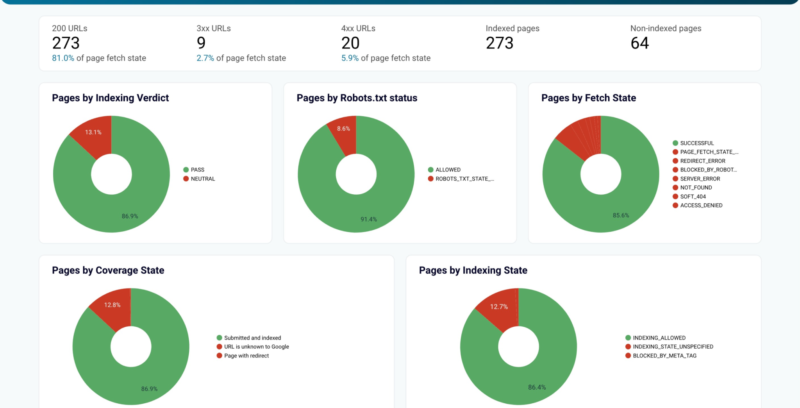
Here is a scary one. A single wrong line in your robots.txt file can hide your whole website from Google. Similarly, a stray “noindex” tag can remove a page from search results.
This often happens when developers block a site during testing and forget to unblock it after launch. So, always review your robots.txt file and meta tags. Google Search Console can show you which pages are blocked.
4. Broken Links and 404 Errors
Nobody likes clicking a link that leads nowhere. Broken links frustrate users and waste your crawl budget. Crawl budget is the number of pages Google will scan on your site in a given time.
Moreover, too many broken links send a signal that your site is poorly maintained. To fix this, run a site audit every month. Then, update or remove dead links. If a page has moved, use a 301 redirect to send visitors to the new page.
5. Duplicate Content Problems
Search engines want to show unique pages. When several URLs show the same or very similar content, Google gets confused. It does not know which page to rank, so it may rank none of them well.
Duplicate content often appears when the same page loads with and without “www,” or with both HTTP and HTTPS. Product filters and tracking parameters can also create copies. Fortunately, the fix is simple. Add a canonical tag to tell Google which version is the main one. In addition, set up proper redirects for the other versions.
6. Missing HTTPS Security
Security matters to both users and search engines. If your site still uses HTTP, browsers may show a “Not Secure” warning. Naturally, this scares visitors away.
Google has also confirmed that HTTPS is a small ranking signal. So, install an SSL certificate and make sure every page loads over HTTPS. Afterward, check for “mixed content” errors, where secure pages still load insecure images or scripts.
7. No XML Sitemap or a Broken One
Think of an XML sitemap as a map for search engines. It lists your important pages and helps Google find them quickly. Without it, new pages may take longer to appear in search results.
On the other hand, a sitemap full of errors can cause harm. Do not include redirected, blocked, or deleted pages. Keep it clean, update it often, and submit it in Google Search Console.
8. Messy Site Structure and URLs
A confusing site layout hurts both users and crawlers. Ideally, any page on your site should be reachable within three clicks from the homepage. Pages buried deep are often ignored.
Likewise, long and unclear URLs are a problem. Compare “example.com/p?id=4823” with “example.com/technical-seo-tips.” The second one is clear, short, and easy to remember. Therefore, use simple URLs with your main keyword, and link related pages together with internal links.
9. Long Redirect Chains
Redirects are useful, but too many can slow down your site. A redirect chain happens when page A sends users to page B, which then sends them to page C. Each extra step wastes time and crawl budget.
Instead, redirect page A straight to page C. Also, avoid redirect loops, where pages keep sending visitors back and forth. A regular audit will catch these quickly.
10. Ignoring Structured Data
Structured data, also called schema markup, helps Google understand your content better. It can also earn you rich results, such as star ratings, FAQs, and product prices in search listings.
Many websites skip this step. As a result, they miss the chance to stand out. Use Google’s Rich Results Test to check your markup, and add schema for articles, products, reviews, and FAQs where it fits.
Technical SEO may not be the most exciting part of marketing, but it is one of the most powerful.
Even the best content cannot rank if search engines struggle to crawl or load your site. By fixing slow speeds, broken links, duplicate pages, and blocked content, you build a strong base for growth.
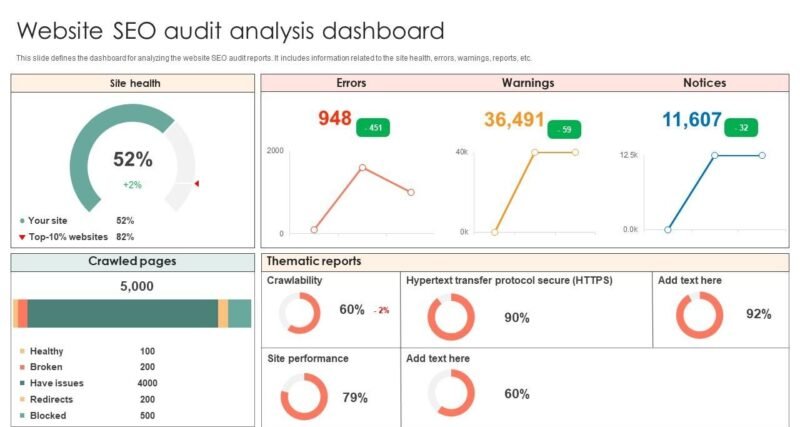
To get started, run a full technical audit using free tools like Google Search Console and PageSpeed Insights.
Then fix the biggest issues first and check your site every month. Small improvements add up, and over time, they can lead to higher rankings and more traffic